Streaming
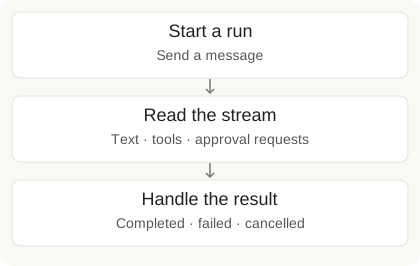
Runs stream Server-Sent Events (SSE) by default. The SDK wraps them in a RunStream iterator.
Quick Patterns
Text only, live:
from m8tes import M8tes

client = M8tes()

for chunk in client.runs.stream_text(agent_id=1, message="Summarize open tickets"):
print(chunk, end="", flush=True)Text + post-run data (run_id, full text). Use with so the connection closes cleanly:
with client.runs.create(agent_id=1, message="Draft weekly report") as stream:
    for chunk in stream.iter_text():
        print(chunk, end="", flush=True)
print(stream.text)    # all text deltas joined
print(stream.run_id) # available after iterationJust the final output (no streaming):
run = client.runs.create_and_wait(agent_id=1, message="Generate report")
print(run.output)
Follow-up replies (runs.reply()) stream the same way and inherit the run's settings. See Follow up on a run.
Event Types
These are the event.type values the Python SDK yields (it normalizes the raw
Claude-native SSE frames into these friendlier names; see SSE Frame Format
for the raw wire if you consume the HTTP stream directly).
Filter events by class
from m8tes import TextDeltaEvent, ToolCallStartEvent

for event in client.runs.create(agent_id=1, message="Close tickets"):
    if isinstance(event, TextDeltaEvent):
        print(event.delta, end="", flush=True)
    elif isinstance(event, ToolCallStartEvent):
print(f"\nUsing tool: {event.tool_name}")Detecting Failures
A run can fail mid-stream (expired credential, model rate limit, quota). The default iter_text() / stream.text path drops error events, so a failed run can otherwise look like an empty success. Opt into raising, or check after iterating:
# Raise RunFailedError if the run fails mid-stream
for event in client.runs.create(agent_id=1, message="...", raise_on_error=True):
    ...

# Or check without raising
with client.runs.create(agent_id=1, message="...") as stream:
    for chunk in stream.iter_text():
        print(chunk, end="")
    if stream.has_errors:
print("run failed:", stream.errors)Reconnecting to a dropped stream
If the connection drops mid-run (proxy idle-timeout, network blip), rejoin with the run_id from the metadata event. runs.stream(run_id) replays the run's full history then live deltas, so reset any local accumulation on reconnect; it returns 409 once the run is no longer executing (use runs.get(run_id) for the result):
stream = client.runs.create(agent_id=1, message="long task")
run_id = None
try:
    for event in stream:
        run_id = stream.run_id
        ...
except Exception:  # connection dropped
    if run_id:
        for event in client.runs.stream(run_id):  # re-attach and replay
            ...
The server emits a 15s keepalive on the streaming path so a long-silent tool call doesn't trip the read timeout; raise it for very long runs with M8tes(timeout=...).
SSE Frame Format
Raw wire example
data: {"type": "metadata", "run_id": 123, "mode": "chat", "sandbox_enabled": true}
data: {"type": "content_block_start", "id": "block_1", "block_type": "text"}
data: {"type": "content_block_delta", "id": "block_1", "delta": {"type": "text_delta", "text": "Here are "}}
data: {"type": "content_block_delta", "id": "block_1", "delta": {"type": "text_delta", "text": "the open tickets..."}}
data: {"type": "content_block_stop", "id": "block_1"}
data: {"type": "tool_use", "id": "tc_1", "name": "gmail_search", "input": {"query": "is:open"}}
data: {"type": "tool_result", "tool_use_id": "tc_1", "content": "...", "result": "..."}
data: {"type": "run_metrics", "execution_time_ms": 4200, "input_tokens_used": 1200, "completion_state": "complete"}
data: {"type": "done", "completion_state": "complete", "stop_reason": "end_turn", "message_count": 4}
Delegation (subagents) in the stream
An agent may delegate part of a job to a subagent: a worker that runs in its own context and reports a result back. You will see this as a tool call named Agent:
data: {"type": "tool_use", "id": "tc_2", "name": "Agent", "input": {"description": "Pull last week's spend", "subagent_type": "general-purpose", "prompt": "..."}}
data: {"type": "tool_result", "tool_use_id": "tc_2", "content": "...the subagent's report..."}
- Treat it like any other tool call. The subagent's own steps are not streamed; you get the delegation and its result. Nothing about your event handling has to change.
- Its tokens are part of the run. Delegated work is included in the run's cost and counts against the run's spending limits.
run_metricscarriessubagent_countandsubagent_tokensso you can see how much of a run was delegated. - Permissions still apply. A subagent's tool calls go through the same approval rules as the agent's own. If a tool needs a human, it still asks, and the approval says which subagent asked for it.
The Python SDK normalizes these into the events (text-delta, tool-call-start, tool-result-end) shown in the table above.
Next: Runs · Human-in-the-Loop · Webhook Events